How it works
Pick it, check the voucher, pay in crypto.
Roamduck sells phone top-ups, gift cards and travel eSIMs. There is no account. After you pay, the order page shows each step until your order is delivered. The pictures below are screenshots of the site on a phone.
On this page
Jump to a part
Phone top-up
Prepaid airtime or data for a number in 150+ countries, for your own phone or for someone abroad.
-
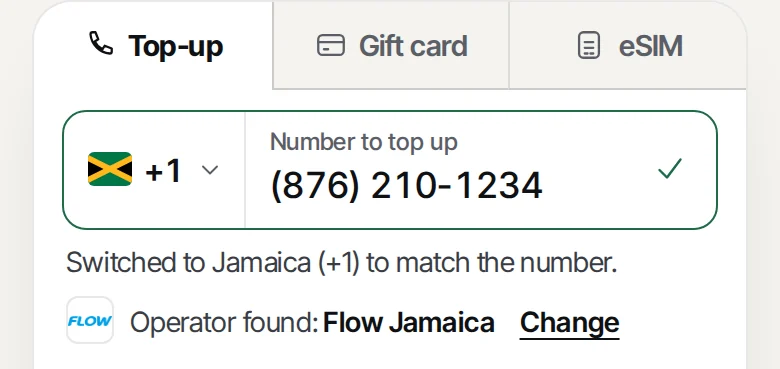
Type the number
Paste it with + and the country code, or pick the country first. We find the operator from the number where we can, and check the number before you pay.
-
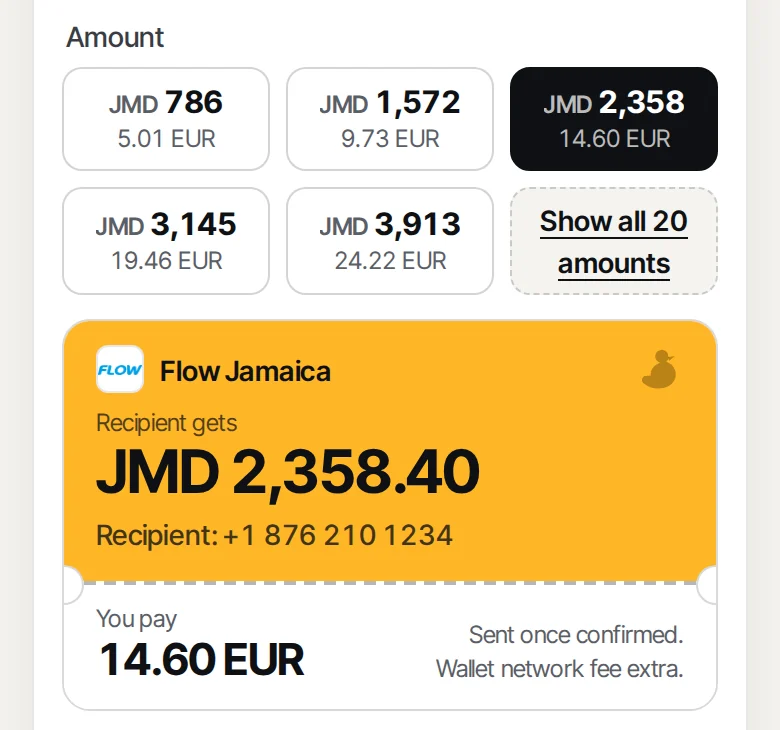
Pick an amount
Each amount shows what the recipient gets and what you pay in euros. The yellow voucher repeats the operator, the number and the price. Check it before you pay.
-
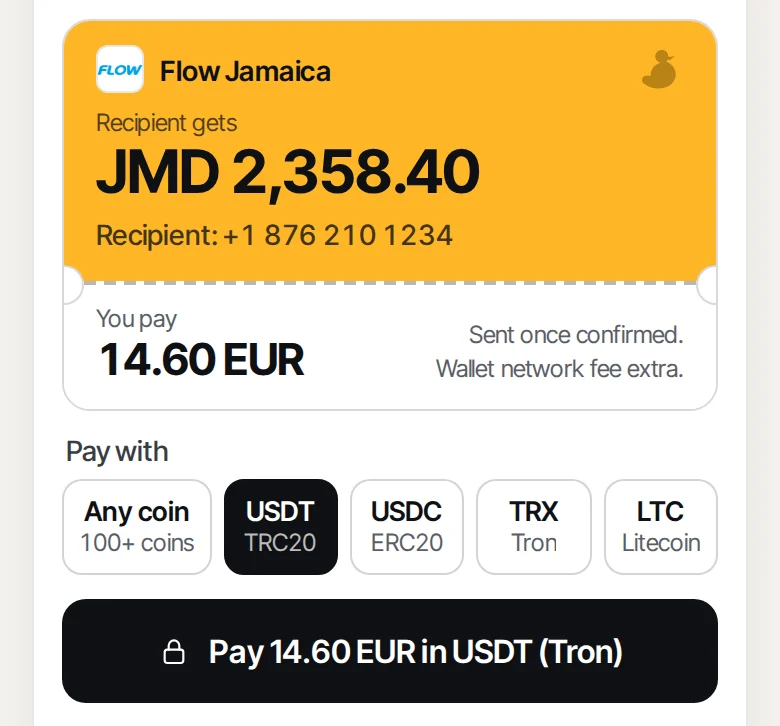
Pick a coin and pay
Choose a coin under Pay with, or Any coin, and tap Pay. You send the coins on the NowPayments payment page. More under Paying with crypto.
-
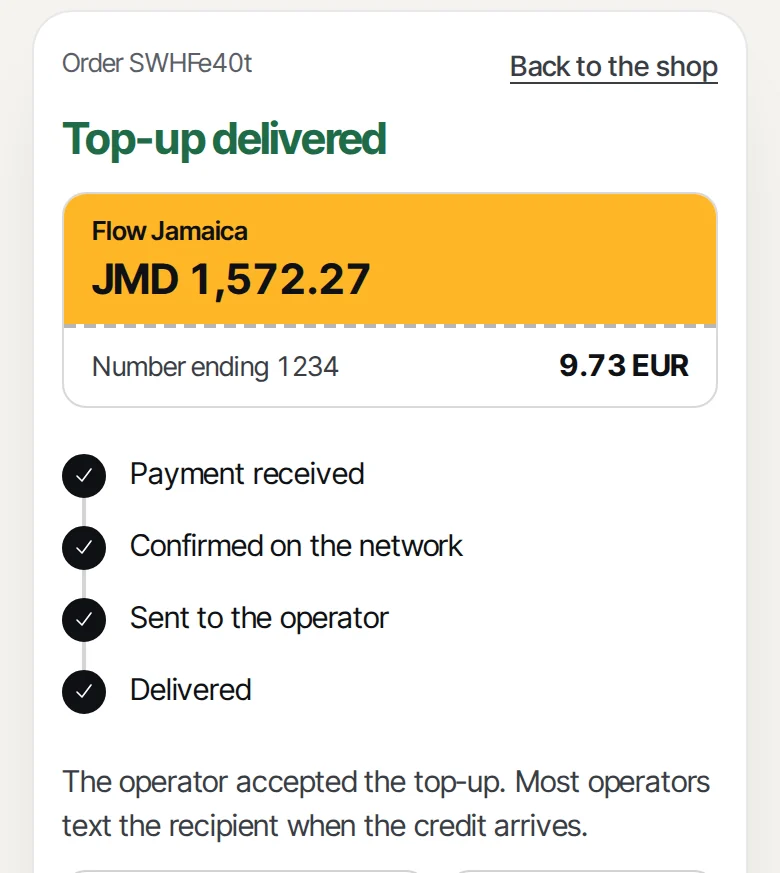
See it delivered
Once your payment confirms, we send the top-up and the order page ticks off each step. The operator usually credits the number within seconds, and most operators text the recipient.
Gift cards
Digital codes for Amazon, Steam, Netflix and more. A card works only with accounts in the country it is made for.
-
Find the card
Choose the country of the account you will use the card with, not the country you are in. Then search for the brand.
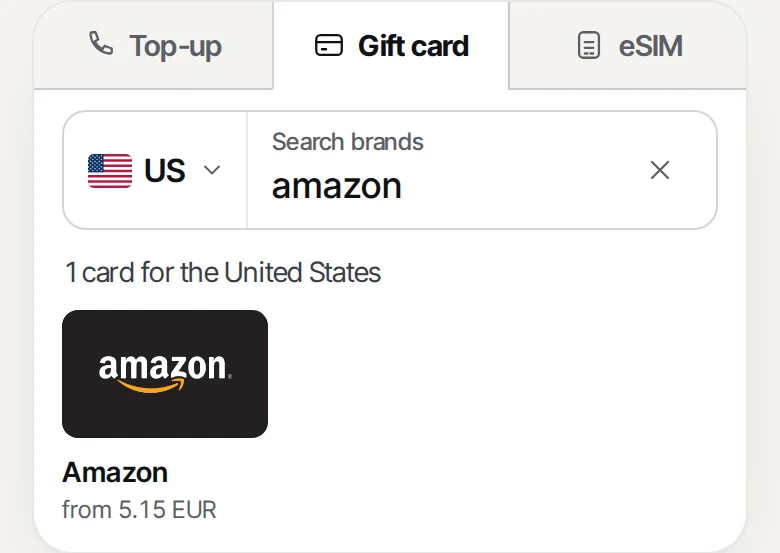
-
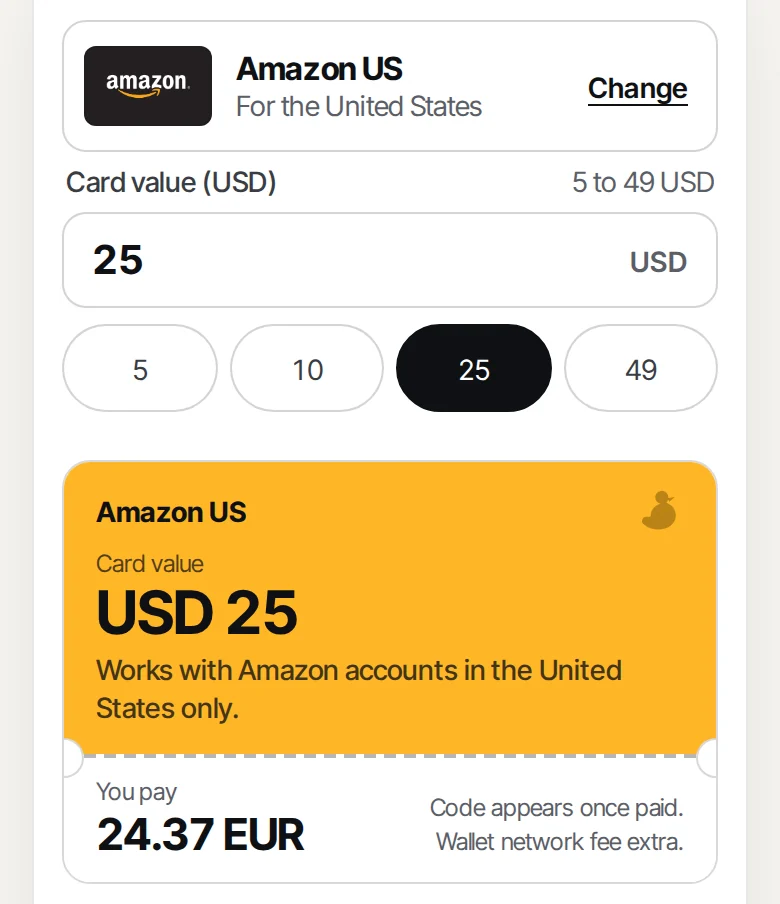
Choose the value
Tap a value, or type one when the card takes a range. The voucher shows the card value, where it works and the price in euros. Then pick a coin and pay, as for a top-up.
-
Copy the code
As soon as the payment confirms and the card is bought, the code, and the PIN if the card has one, appear on the order page with Copy buttons and how to use the card. The page shows the code for 7 days. A gift card can't be returned once its code is shown, unless the code does not work.
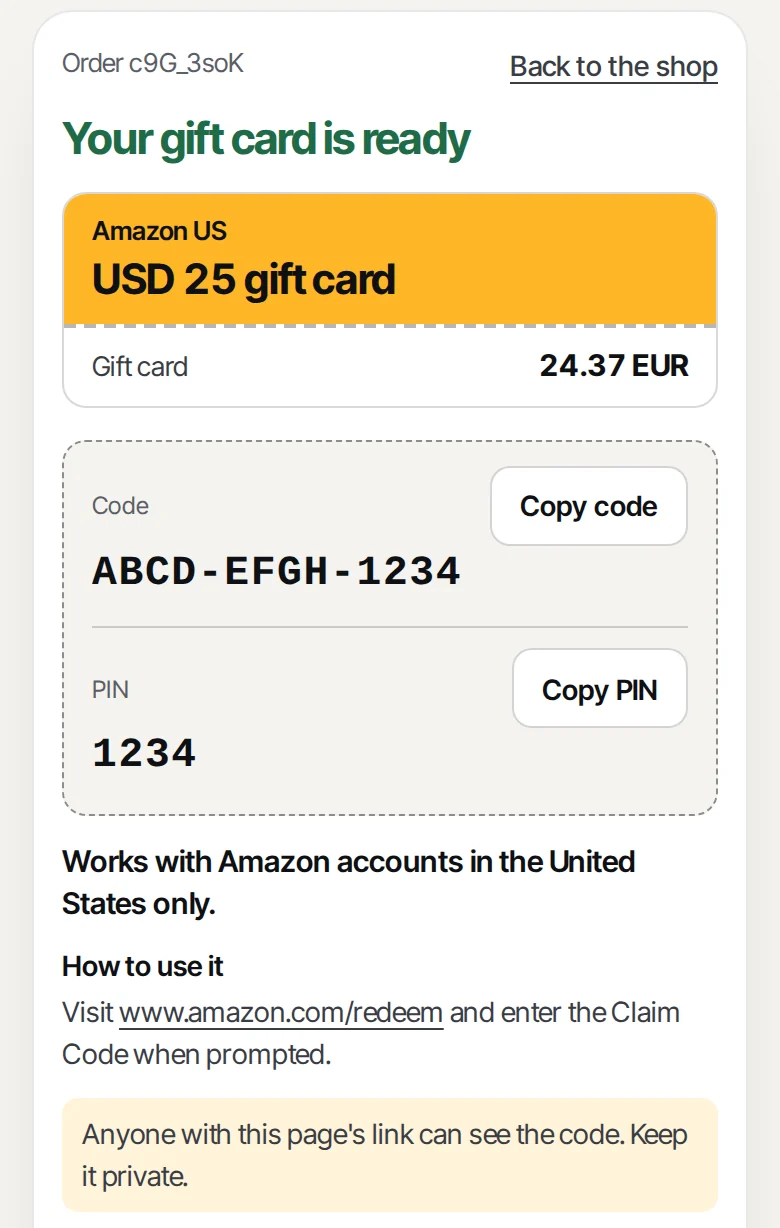
The code in this picture is an example.
Travel eSIMs
Mobile data for your trip, for a country or a region. The phone must support eSIM and must not be locked to a network. Most plans are data only, with no phone number.
-
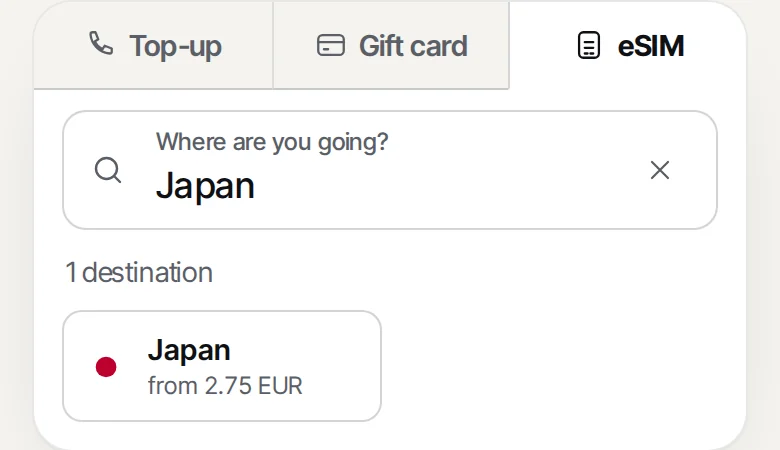
Say where you are going
Search for a country, or pick a region such as Europe.
-
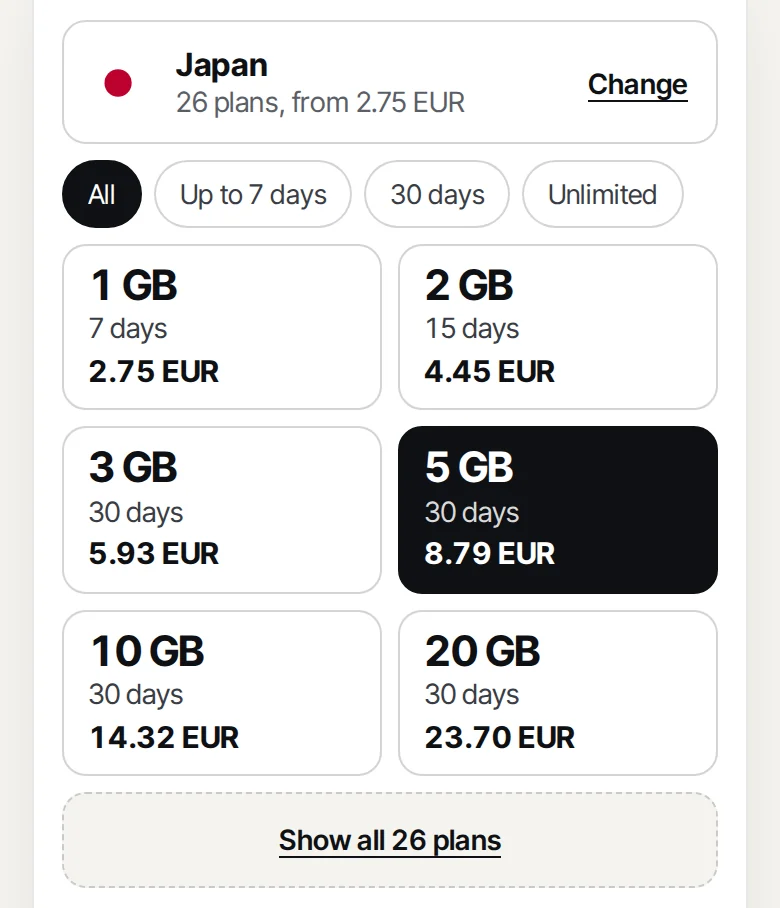
Pick a plan
Each plan shows its data, its days and its price. The chips above the plans narrow the list.
-
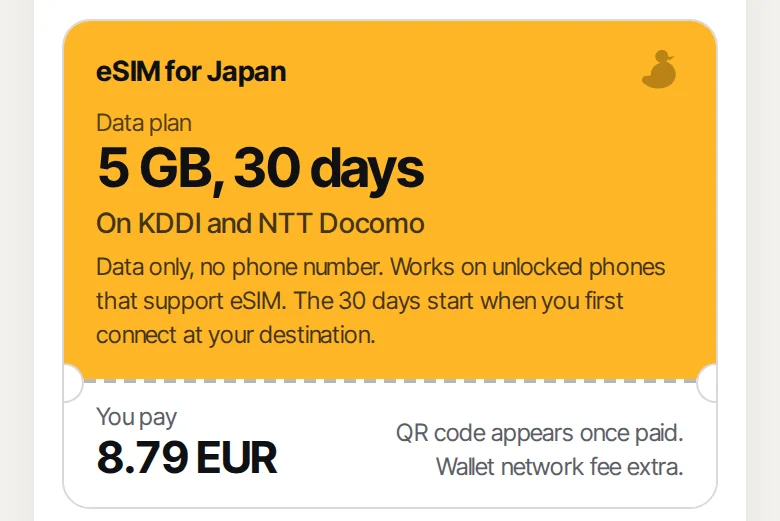
Check the voucher, then pay
It names the networks and says when the days start. For most plans that is when the eSIM first connects at your destination, not when you buy or install it.
-
Install it
Open the order page on the phone that will use the eSIM. On an iPhone with iOS 17.4 or newer, and on most recent Android phones, a button installs it in one tap. Otherwise scan the QR code from another screen, or paste the codes. Install it on Wi-Fi, even days before you leave, and only once. When you arrive, turn on the eSIM and data roaming.
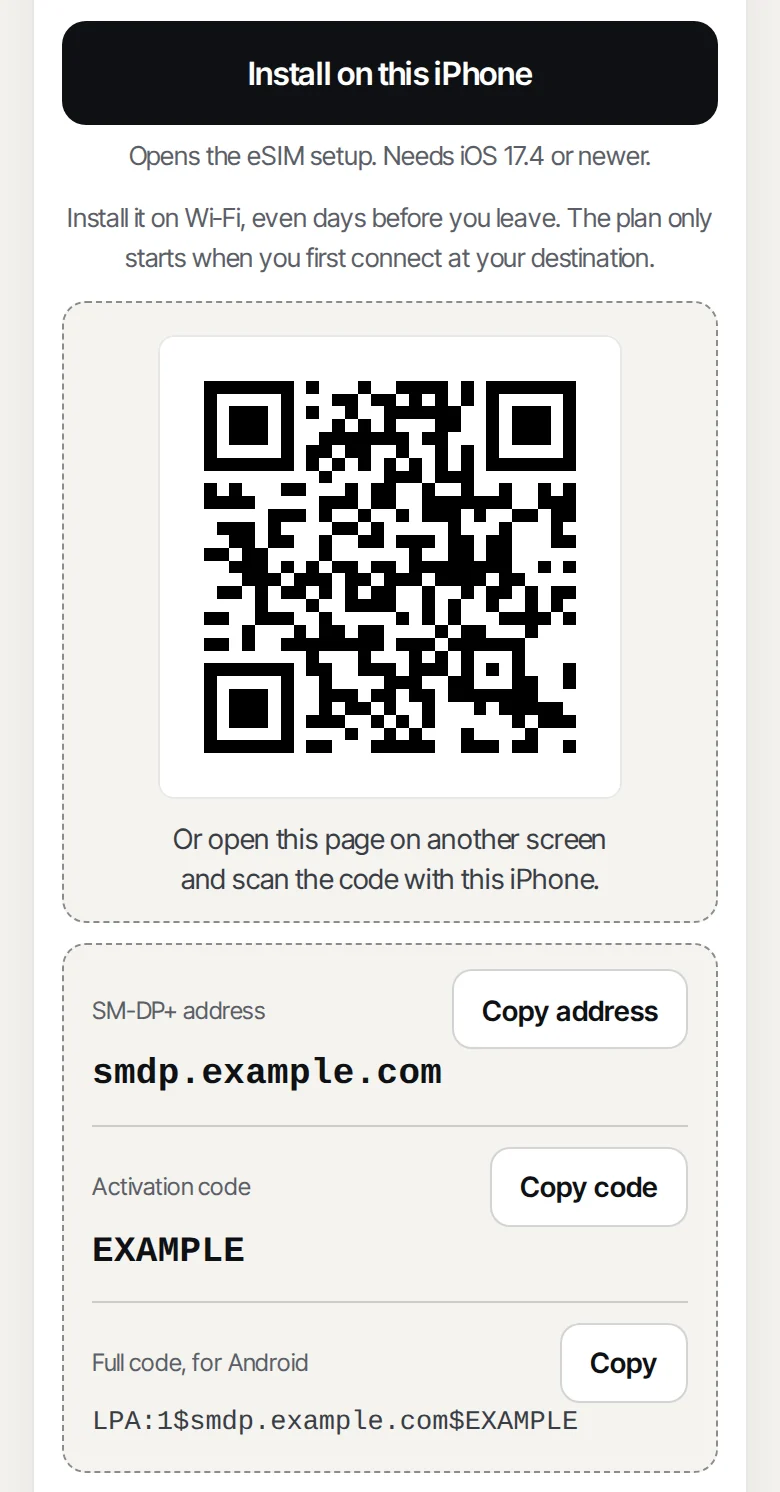
The QR code and the codes in this picture are examples.
Paying with crypto
Prices are in euros. NowPayments, our payment processor, converts them into the coin you pick.
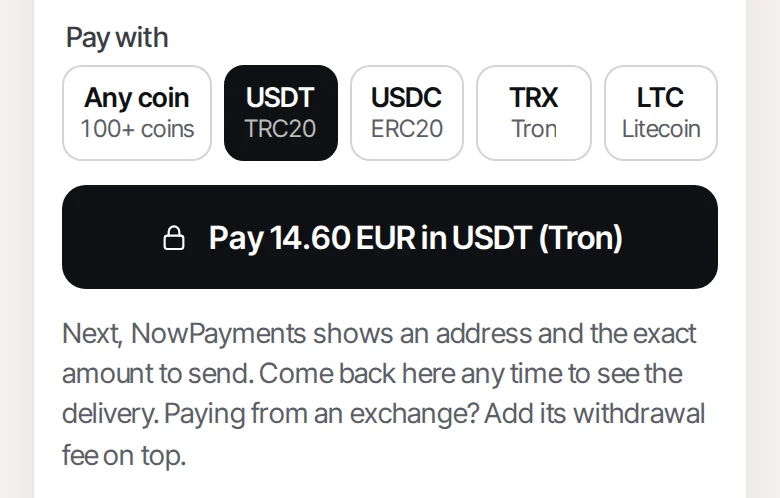
- Which coin. USDT, USDC, TRX and LTC are one tap away. Any coin lets you choose from 100+ coins on the payment page, Bitcoin and Ethereum among them. Each coin has a small minimum, and the form shows which coins fit your amount.
- Where to send it. NowPayments makes an address for this one order and shows the exact amount to send. We never see your wallet.
- How long. About a minute for USDT, USDC, TRX or LTC to confirm. Bitcoin takes 10 to 30 minutes.
- From an exchange. Send the exact amount with the exchange's withdrawal fee on top. If less arrives, the order is not sent: email support@roamduck.com with your order number and we either take the rest or refund what arrived.
- If we cannot deliver, you get your money back in the coin you paid with.
After you pay
The order page is where everything shows up: each step, the gift card code, the eSIM and its data. Here is how you get back to it.
-
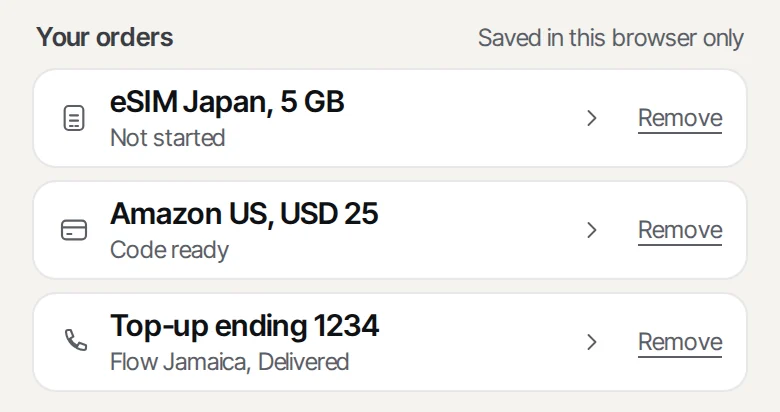
Your orders, in this browser
The homepage lists your recent orders under Your orders, in the same browser: top-ups and gift cards for 8 days, eSIMs for up to 400 days. The list stays on your device. Tap an order to open its page, or Remove to take it off the list.
-
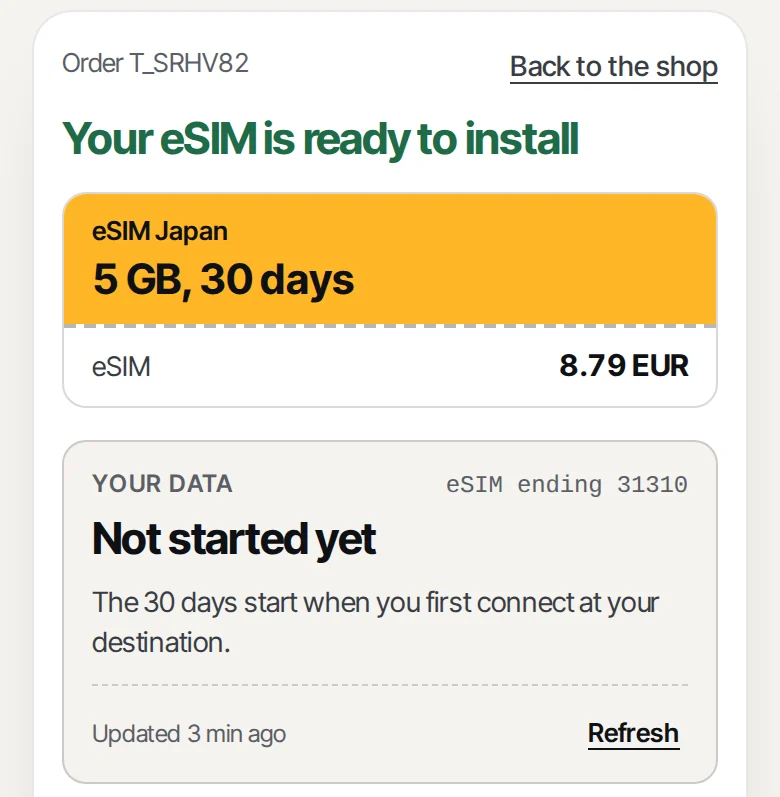
Data left on an eSIM
An eSIM's order page shows the data left and the day the plan ends, updated about every 10 minutes. Before the first connection it says Not started yet. Need more data? Buy another eSIM for the same destination.
-
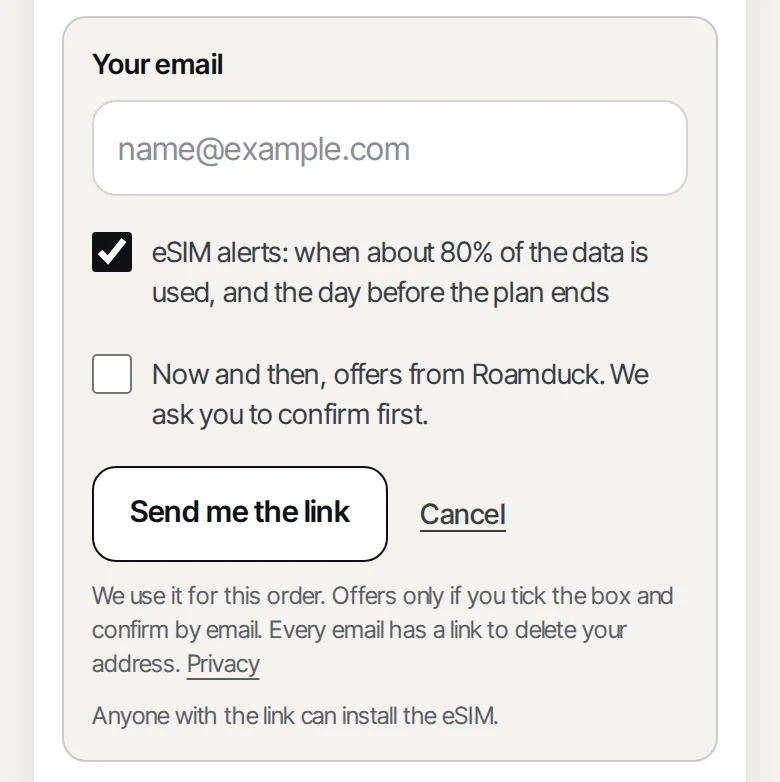
An email, only if you want it
Tap Email me this order link. We send you the link to the order page and, for an eSIM if you tick it, a note when about 80% of the data is used and the day before the plan ends. A gift card code or an eSIM's install codes are never put in an email. Every email has a link to delete your address. Or tap Copy status link and keep the link yourself.
-
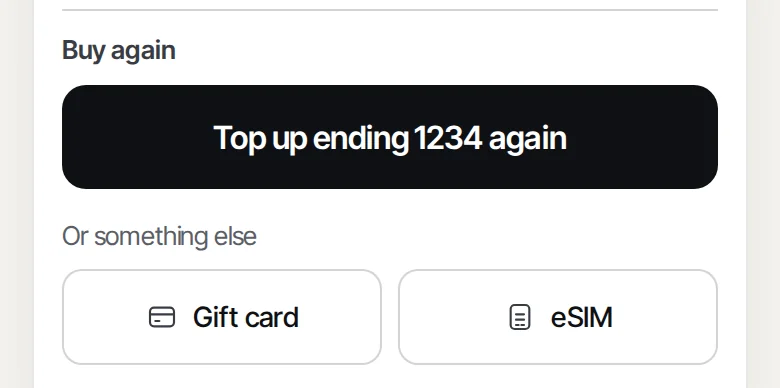
Buy again
A delivered order has a button for the same thing again: the same number, the same card or the same destination. The tiles below it open the other shops.
Anyone with an order page's link can see that order, including a gift card code or an eSIM's install codes, so keep the link private. Questions? See the FAQ, or email support@roamduck.com with your order number. A person answers.
Open the shop